






| You may get .psd* file of "Direction Sign" Photoshop tutorial by making a payment. Put the tutorial title in "Add special instructions to seller" line of PayPal and it will be sent to you shortly.
|
- Duplicate arrow layer, apply dark Color Overlay and move it little bit left.
.jpg)
- Add holder elements, create perspective effect using transformation (Free transformation, Distort or Perspective), small gradient displacement to the right.
.jpg)
- Move screws a little bit right.
.jpg)
- Use Horizontal Flip transformation for third arrow.
.jpg)
- Type any sign.
.jpg)
- Apply Fill about 0%.
.jpg)
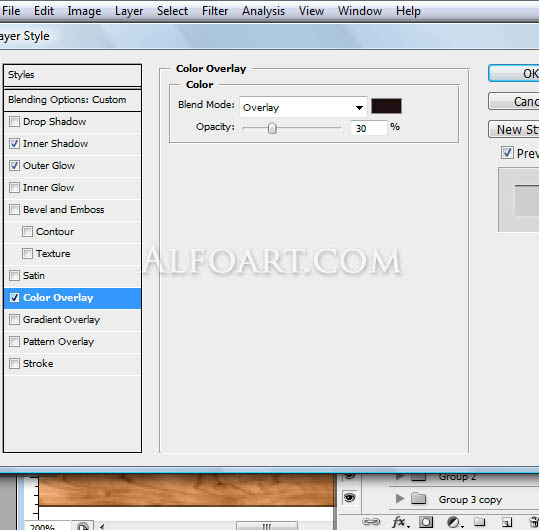
- Add following layer style effects.
.jpg)
.jpg)
And here is the result!